










Overview
Teams that invested in GT-Automation early have good reason to be proud of it. Scripted model builds, batch runs, and automated post-processing already save real engineering time. So when AI enters the conversation, a fair question follows: if our workflows are already automated, what is left for AI to do?
The answer is that GT Intelligence Studio does not compete with that investment. It extends it. GT-Automation is the engine that builds, runs, and reads GT-SUITE models at scale. This post shows how the two work together, using a real internal project as an example, and what that can mean for scope, speed, and cost on your own programs.
Better Together: The Execution Engine and the Script Builder
The two products play complementary roles:
• GT-Automation is the execution layer. It creates, runs, and reads GT-SUITE models through Python, so workflows are repeatable and scale to any number of models.
• GT Intelligence Studio is the development accelerator. Its AI.coder and AI.modeler agents write the Python scripts that drive GT-Automation, drawing on their knowledge of GT-SUITE and the API.
Existing automation remains the foundation. GT Intelligence Studio extends it into new workflows, so projects that once needed weeks of script development become practical to start.
A Pattern That Scales Across Programs
Many high-value engineering tasks share one shape: a validated model, a set of variants, and a need to check every variant the same way. Typical examples include:
• Validating a heat exchanger model across 60 vehicle variants
• Checking a turbocharger across an entire engine platform
• Running the same compliance or performance check on every configuration of a product family
Done by hand, these tasks tend to be limited to a few representative cases because full coverage takes too long. With GT-Automation and GT Intelligence Studio, the same project follows a repeatable pipeline:
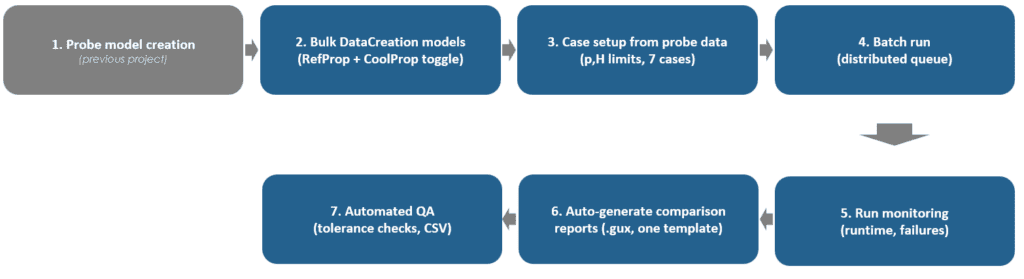
1. Create variants. A script builds one model per vehicle, engine, or configuration from a single base model.
2. Configure cases. Operating points and boundary conditions are set for each variant from its own data.
3. Run in batch. All models are submitted to the compute queue, skipping any that already have results.
4. Monitor. Logs are parsed so failures are flagged with a reason instead of discovered later.
5. Generate reports. One hand-built report template is cloned and re-linked for every variant, keeping all plot formatting.
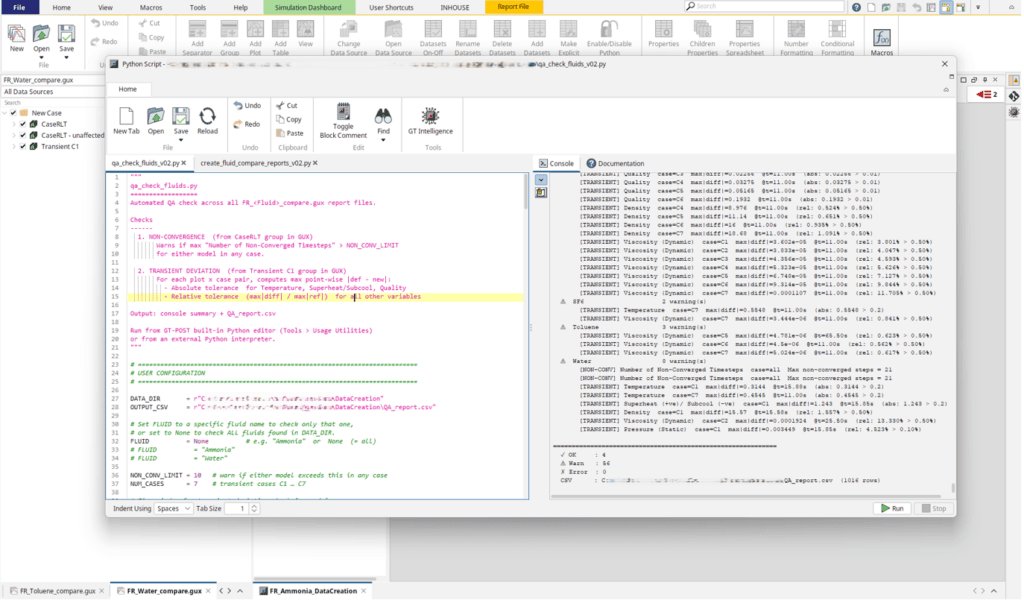
6. Flag deviations. Results are compared against references or tolerances, and only the variants that need attention are flagged.
The engineer builds the base model and the report template once. GT Intelligence Studio generates the scripts for everything in between, and GT-Automation executes them.
Proof From Our Own Testing
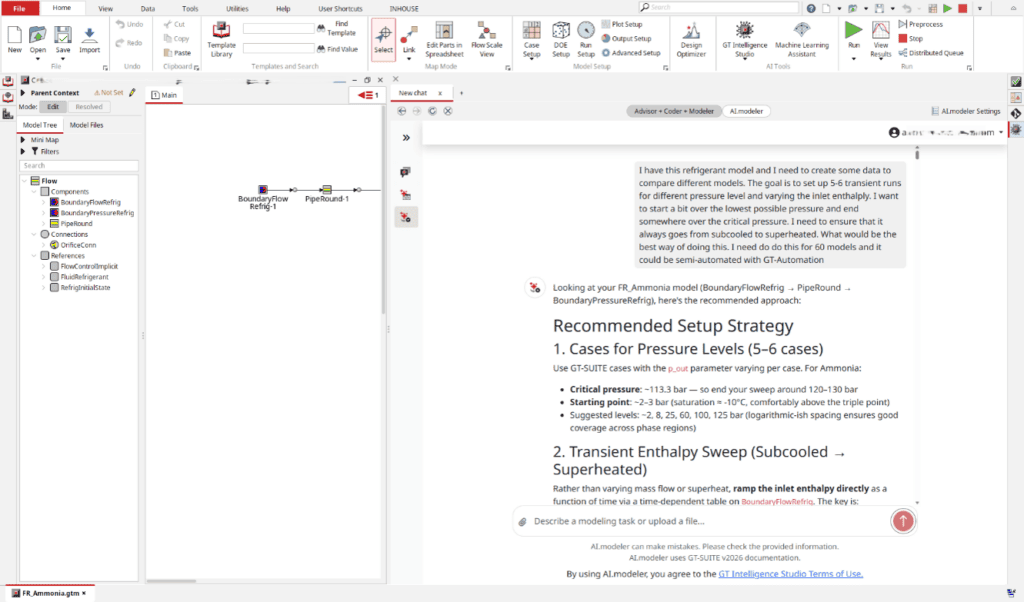
We put this approach to work on a real internal project. Engineers need accurate fluid properties, such as density and enthalpy, to simulate refrigerants. REFPROP, from NIST, is the industry reference for this data. CoolProp is a free, open-source alternative. We wanted to confirm that CoolProp matches REFPROP across about 60 refrigerants.
GT Intelligence Studio generated most of the scripts for the seven-stage pipeline, and GT-Automation ran it. One stage was reused from an earlier project.
Full manual testing would have taken about a week. The automated pipeline completed it in two days, and systematic checking against defined tolerances surfaced deviations that spot checking would likely have missed.
What This Means for GT-Automation Users
If your team already uses GT-Automation, GT Intelligence Studio helps you get even more from it:
• Broaden your scope. Move from representative cases to full coverage across a platform or product family.
• Speed up development. Go from idea to working script by describing the task and reviewing the result.
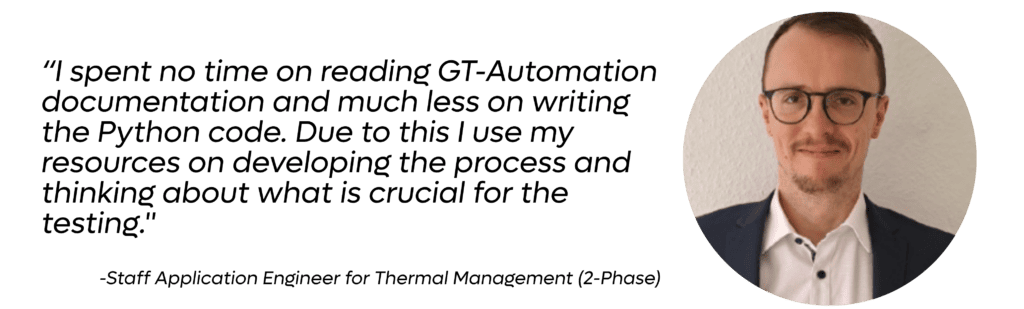
• Involve more engineers. Let colleagues without deep Python experience build and adapt automation, so your best workflows reach the whole team.
• Lower the cost per run. Once generated, the scripts can be re-run at any time at no additional cost. Building the automation once is far more economical than using AI for every individual run.
• Build on what you have. Existing scripts and templates carry forward and become the starting point for new workflows.
What’s Next
Automation is most valuable when it is easy to extend. GT Intelligence Studio makes that extension faster, so the next workflow on your list becomes the next one you deliver.
Get started. Visit the GT Intelligence Studio product page to learn more about AI.advisor, AI.coder, and AI.modeler. Contact us to see how it can extend your GT-Automation workflows, and subscribe to the GT blog for updates on new AI capabilities.
Frequently Asked Questions
How do GT Intelligence Studio and GT-Automation fit together?
GT-Automation executes workflows on GT-SUITE models. GT Intelligence Studio generates the Python scripts that drive it, so each tool does what it does best.
Can I reuse my existing automation?
Yes. Existing scripts and templates can be extended, and new workflows can build on them. In our internal project, one stage was carried over directly from an earlier project.
Do the generated scripts incur ongoing costs?
No. Once created, the scripts can be re-run repeatedly without further use of GT Intelligence Studio.